Participate 2- Accessing Digital Learning Communities

Post: Describe the results of researching your level of access to digital resources.  Then answer the following questions: 

1. What types of barriers might impede students’ opportunities to access digital learning? 

2. What might we do to eliminate such barriers?

Not all students have equal access to the internet and/or to a computer. This is why other areas of the community are so important. Webjunction helps library staff work with other libraries to become a “place of digital inclusion.” This is helpful so that if a student does not have access they can go to their community library and gain access there. Also, not all people have equal digital literacy. Many program throughout the nation seek to target this issue and create a digital literate population.

Participate Reflection

Standard C: The online teacher plans, designs, and incorporates strategies to encourage active learning, application, interaction, participation, and collaboration in the online environment.

Standard E: The online teacher models, guides, and encourages legal, ethical, and safe behavior related to technology use.

Standard J: The online teacher interacts in a professional, effective manner with colleagues, parents, and other members of the community to support students’ success.

 Answer in a complete paragraph response: How has the Participate module prepared you to meet each standard listed above? Link to or provide specific examples from your work in Participate. What strategies will you take away from the Participate module and apply to your teaching?  What lessons were most beneficial for you?

The Participate Module helped me prepare for Standard C be working on Participate 2-Collecting Reputable Digital Resources. Creating a folder of resources is the beginning to any good lesson and will help me prepare better online lessons.

The Participate Module helped me prepare for Standard E by working on Participate 3- Digital Resources and Netiquette and Participate 4 – Digital Safety and Security. Both of these activities helped me create resources for students to teach them effective uses of the internet and the digital learning environment.

The Participate Module helped me prepare for Standard J by working on Participate 1 -Joining a DLC. Joining DLCs will give good practice in interacting with professionalism and will provide valuable resources to use for my students.

Participate 4 – Digital Health

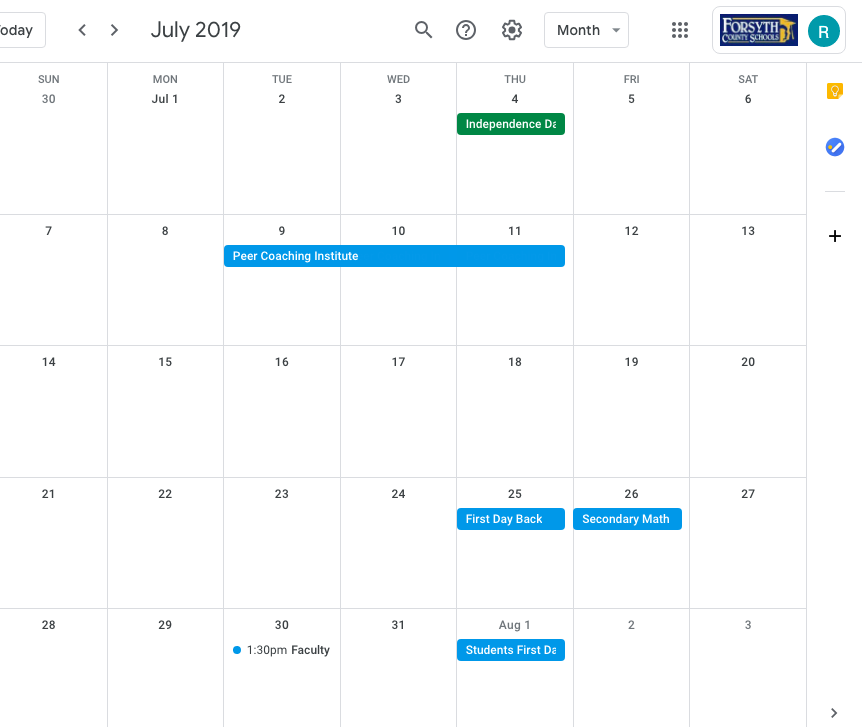
Create: Create a digital calendar containing scheduled appointments designed to improve digital health. Embed the calendar (or include a screenshot of the calendar) in your blog.

Answer: How did you modify your technology habits? What is the most proactive means of ensuring the most balanced blend of technology and well-being? What can students and teachers do to make sure they get the most from technology while simultaneously safeguarding good health?

It seems technology has overtaken our lives. I will force myself to stop using technology (including my phone) at 8:30 PM everyday. I will set an alarm for myself on my phone so that I do not exceed this time. As my daughter gets older I will monitor her use of technology as well and be more conscious of my example while she is awake.

Students also need to shut down technology at a certain point. I collect phones in class so that their full attention is on learning. Setting due dates at a certain time (i.e. 8 PM) is better than leaving is to the midnight standard so students will be forced to stop.

Participate 4 – Digital Safety and Security

Create: Develop a digital resource which addresses the following questions.

a. What is the most important step we can take in terms of ensuring our digital safety?

b. What strategies can we take to help our students consistently keep digital safety in the forefront of their minds?

Artifact: The created, finished product may come in one or more of the following forms: a digital chart/poster, an audio recording or poster, a digital slideshow, or a digital video.

Include a direct link to (or embed) the artifact you created in your blog.

Answer: How might your artifact be implemented in a learning environment?

The link below is a digital poster I will use in the learning environment:

https://infograph.venngage.com/ps/koSGvCSG11Q/digital-footprint

In the beginning of a course I would go over the content of the poster and ask pointed questions on how they feel about what they leave behind digitally.

Participate 1 -Joining a DLC

Explore: Explore and find your own examples of Digital Learning Communities. While bookmarking the sites, remember to complete the following:

Tag each site with appropriate keywords, annotate each entry with a descriptive sentence or phrase

Artifact: Share a link to your bookmarks in your blog. (NB. Google bookmarks links are not publicly available.  If using Google bookmarks, please include a screenshot of your links in your blog.) After bookmarking three likely DLCs, reflect for a moment on which one of the five is most worthy of joining.

Join one of the DLCs from the list (or another of personal interest). Consider how citizens in an online environment find a reputable digital community that aligns with their particular interests and needs.

Answer: What is the name of the DLC joined and the reason why the DLC was the most intriguing? What traits made the DLCs explored more noticeable or impressive than the others? What is the DLC like? What can Digital Citizens do to make the process of joining a DLC more appealing to and easier for students?

Digital Learning Communities serve a multitude of resources including bringing people from various locations with common purpose together. I am a member of an AP Calculus DLC and it has been amazing. There are so many resources and people from all over willing to help when you need it.

Digital Citizens can make it more appealing to membership by making it open and easy to join.

Participate 1 – Ideal Digital Learning Communities

Answer: Consider what would be needed to create an ideal digital learning community. What would be needed to bring such a vision to fruition? What can one do to make an existing DLC more attractive to and welcoming for students and teachers?

An ideal Digital Learning Community has the following characteristics:

  1. Connection of people with common interest and groups with ideas.
  2. Ease of Use; it should be easy to register, navigate, and have a system of alerts.
  3. Updated frequently and have the latest on issues and trends.
  4. It should be real would applicable.
  5. Must evolve with the evolution of technology and the needs of the members.

http://www.slideshare.net/lgenetti/characteristics-of-an-ideal-learning-community

In order to bring this to fruition, a digital space would need to be created by the founding members and the above would need to be adopted as part of the AUP. In order to make existing DLCs more attractive and welcoming for students and teachers they need to be inviting and open. Closed groups deter membership and prevent open coversation.

Participate 4 – Digital Rights and Responsibilities

Artifact: Formulate a plan for supporting and protecting a Digital Learning Community through Digital Rights and Responsibilities.  Share your plan in your blog.

Answer:

1. How can a DLC ensure that citizens within the community have access to an environment where an AUP protects members as well as the community itself, where individuals uphold laws, and a cooperative/collective venture provides robust, safe, and ethical resources and opportunities for learning?

2. What is the best way to establish and maintain a flourishing DLC where citizens understand, observe, and are inclined to willingly support and ultimately benefit from Digital Rights and Responsibilities?

A Digital Learning Community can be supported through Digital Rights and Responsibilities by an AUP in the following ways:

First, the DLC should be a part of either formulating the AUP or approving the AUP. Once this happens each DLC member accepts that being a part of the DLC means upholding the AUP.

When new members join the DLC, the chair should disseminate the AUP to the new members. They join with the knowledge that their membership is contingent upon the acceptance of the AUP.

Each new year, they DLC should review the AUP and decide is any additions or changes need to be made. This process furthers their acceptance of the digital document.

1. In order to ensure the community has access to the AUP, it should be posted on the DLCs page and updated routinely. In order to ensure that the AUP is followed, someone in the DLC should be assigned to monitor the content posted to make sure it follows the guidelines set forth by the AUP.

2. In order to establish and maintain a flourishing DLC where the AUP is upheld, the DLC needs to be part of its creation, acceptance and yearly (or more often) changes. Having the DLC be part of this creates more buy-in for the AUP.
Participate 3- Digital Resources and Netiquette

Create using the information from this lesson, create a digital resource that encapsulates the types of respectful attitudes and behaviors appreciated and necessary for civility in a digital learning community–a virtual Netiquette DO’s and DON’Ts list.

Artifact: The created, finished product may come in one or more of the following forms: a digital chart/poster, an audio recording or poster, a digital slideshow, or a digital video.

The link to my digital poster is: https://infograph.venngage.com/ps/wJeeCeUdkPc/essential-rules-for-netiquette

Participate 1- Character Traits

Create a blog post which describes 3 most impressive character traits of an exemplary citizen within the digital learning community. What makes each of those three identified characteristics worthy of recognizing and emulating? Remember, your description may include multimedia or images.

Answer:

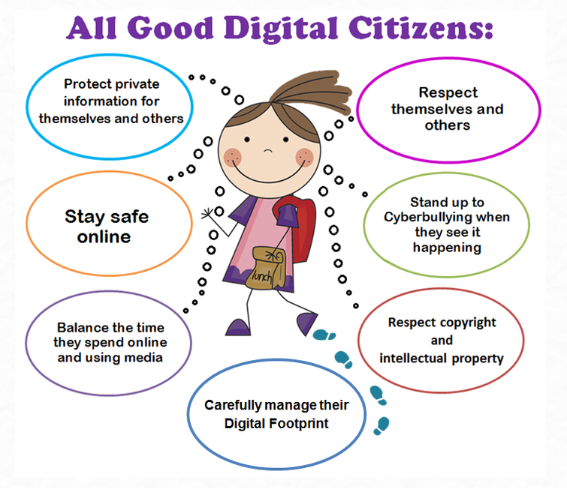
A digital citizen can be defined by the virtual library as, ” engaging in appropriate and responsible behaviour when using technology.” As shown in the picture above, all good digital citizens follow those seven rules. The most important three characteristics are safety, respect, and balance.

Students staying safe online is of the utmost importance. Being safe online and being respectful is intertwined. A student must be respectful of others and be aware of what is lurking out on the internet that might be harmful to them. Common Sense media says that there are basics that students should adhere to including, communicating appropriately, keeping personal information private, respecting others, don’t lie, cheat or steal, stand up for other people who may be targeted online, report misbehavior, follow your family’s rules, and use judgment before you post or text.

It is also important to balance the time students spend online and using media. esafety.gov says the warning signs of excessive internet use are:

  • ongoing headaches or eye strain and complaints of sleep disturbance
  • online activities interfering with their health and wellbeing, schoolwork and relationships
  • spending increasing amounts of time online
  • constantly talking about particular online programs, such as a gaming site
  • withdrawal from their ‘real world’ friends and activities
  • attributing more importance to online activities and contacts
  • a decline in academic performance
  • their parents reporting difficulties in keeping their child off the internet
  • reports that students have been staying up well into the night or sneaking out of bed to access the internet.

We must be aware of these signs and try to give balance to online and offline tasks.

Participate 2-Collecting Reputable Digital Resources

Post in your blog: Describe the walkabout experience and include the link to the list of social-bookmarked resources compiled during the exploration.

Answer in your blog:

  1. What were the three most useful tools or resources resulting from the web walkabout? Explain why you found them useful and include a link to each resource.
  2. How can students be taught to safely collect tools and resources that can help them maximize their learning?
  3. What policies or procedures might need to be in place to make the above item possible?

Made with Padlet

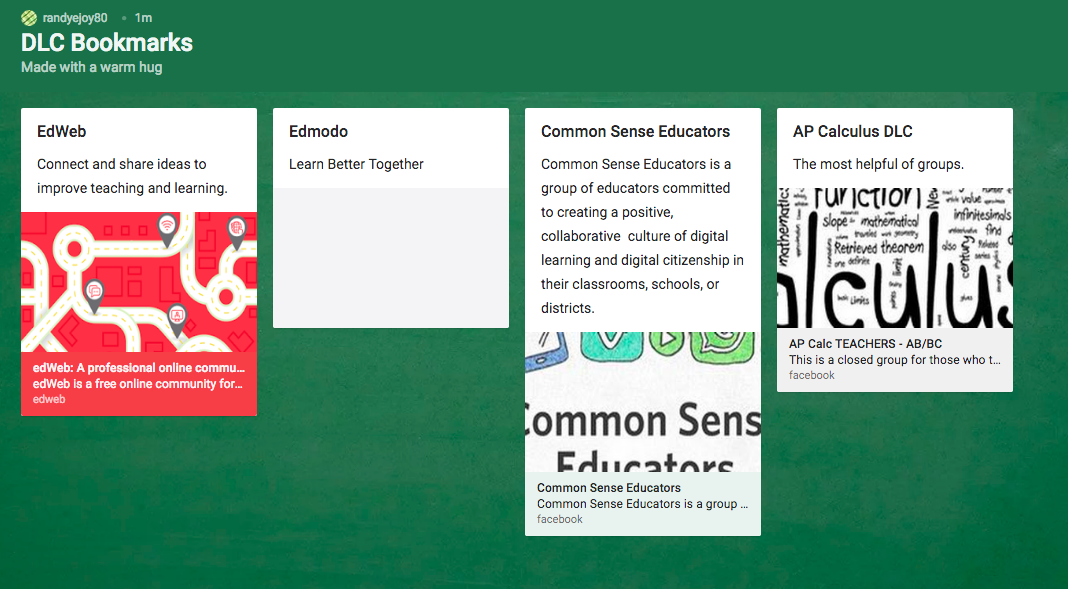
I have been working on a “walkabout” an compiled resources that would make teaching online, or just teaching in general, easier. I used a padlet to compile my resource, which means other resources can be added as they are found.

Top 3 Sites

The first would have to be Delta Math, as its a site I constantly use to assess students. You can use it to personalize assessments based on standards students haven’t mastered yet.

Geogebra would have to be the next best site. It has applications that can make mathematics come alive for students, which isn’t always easy.

Lastly, Google forms is especially useful in assessing students, but also just sending out a survey to figure out the best way to meet everyone’s needs.

Collecting Resources & Policies and Procedures to put in place in the classroom

Student need to be taught first how to identify a safe resource. Once they are taught this each assessment can include a place for them to include the resources they used for that particular assessment, whether it be share with peer or just with the instructor.